
United Kingdom
+44 (0) 1628 660600
hello@creative-computing.co.uk
hello@creative-computing.co.uk

Picture a homeware retailer with five shops across Berkshire and Hampshire, a Shopify website, and a growing presence on Amazon and eBay. It's the Monday after Black Friday. The website shows 14 ceramic table lamps in stock, Amazon shows 9, and the shop in Henley has just sold the last one on the shelf. Nobody knows which figure is right, and by lunchtime the customer service inbox is filling up with cancellation apologies.
That retailer is fictional, but the problem is common. Selling through more than one channel multiplies the number of places stock is recorded, and peak trading is when those records drift apart fastest. This post looks at how Microsoft Dynamics 365 Business Central handles multi-channel sales for UK retailers, and where an implementation partner earns its keep.
Online now makes up a large and stubborn share of UK spending. According to the Office for National Statistics (ONS), internet sales accounted for 27.5% of all retail sales across 2025. The seasonal swing is what matters for stock control, though. The same ONS series shows the online share rising from 26.1% in August 2025 to 32.4% in November 2025, the month that holds Black Friday and the start of Christmas shopping.
So in the weeks when volumes are highest, a bigger slice of orders is landing on channels that don't share a stockroom with your tills. If each channel keeps its own count and someone reconciles them by spreadsheet overnight, every hour between updates is an hour where you can sell something you no longer have.
The fix isn't faster spreadsheets. It's deciding that one system owns the stock figure and every channel reads from it. In a well-run multi-channel retail operation, that system is the ERP.
Business Central's inventory management tracks stock by location, so each shop, the warehouse and any third-party logistics provider can be set up as a separate location. Stock moving between them goes through transfer orders, which means goods in a van between the warehouse and the Henley shop are recorded as in transit rather than counted twice or vanishing.
For the online store, Microsoft's own Shopify Connector pushes availability out from Business Central. Microsoft describes Business Central as the system of record for inventory in this setup, and the connector can calculate what to publish in two ways: projected available balance, which deducts stock already promised to open orders, or free inventory that isn't reserved. That distinction matters at peak. Publishing on-hand quantity alone ignores the 40 lamps already allocated to yesterday's orders.
It's worth being precise about "real-time". Inventory updates run through Business Central's job queue, and Microsoft's guidance on inventory sync suggests a schedule of every 15 to 30 minutes. For most retailers that's close enough to give genuine real-time stock visibility from the customer's point of view, but on fast-selling lines during Black Friday week you may want buffer stock rules or a tighter sync window. That's a configuration decision to make in October, not on the day.
Stock visibility falls apart if the tills sit outside the system. There are two common routes for POS integration with Business Central.
The first is Shopify POS. If you already run your website on Shopify, in-store sales flow back through the same connector as online orders, so the shop floor and the website draw from one pool of stock. Microsoft notes that POS orders are often fulfilled immediately and come through as invoices, which affects how inventory is reduced, so the posting schedule needs thought during setup.
The second is LS Central from LS Retail, a dedicated retail platform that runs on top of Business Central. It suits retailers with larger estates or more complex store operations, adding features such as offline tills, replenishment and loyalty within the same database.
Marketplaces are the third piece. Amazon and eBay don't have a native Microsoft connector in the way Shopify does, so marketplace integration usually comes from partner-built apps listed on Microsoft AppSource. The right choice depends on volumes, whether you use Fulfilment by Amazon, and how listings are managed. What matters is that marketplace orders land in Business Central as sales orders and marketplace stock is fed from the same calculation as everything else.
Once orders from every channel arrive as Business Central sales documents, order fulfilment becomes one process instead of four. Warehouse staff pick and ship from a single queue, and the shipment record ties back to the original channel.
With Shopify, the connector can import new orders automatically as they're placed and, once the shipment is posted in Business Central, send fulfilment and tracking details back to Shopify so the customer gets their dispatch email. Returns and refunds can come back the same way, landing as credit memos or return orders against the right location. During December, when returns overlap with last-minute Christmas orders, that traceability saves a lot of guesswork about where a returned item should go back into stock.
For our fictional retailer, it means the customer service team can look up any order, from any channel, in one place and see whether it's been picked, shipped or returned.
Here's the part retailers tend to underestimate. The moment you sell through more than one channel, you lose an easy answer to basic questions. Which channel is actually most profitable once marketplace fees and returns are counted? Did the Black Friday promotion drive new sales or just pull forward Christmas demand? Is that slow-moving stock in the Basingstoke shop selling online instead?
When each channel has its own dashboard, those answers come from manual exports stitched together in Excel, usually by the finance team, usually late. Retail reporting gets easier when every sale, cost and stock movement is already in one ledger.
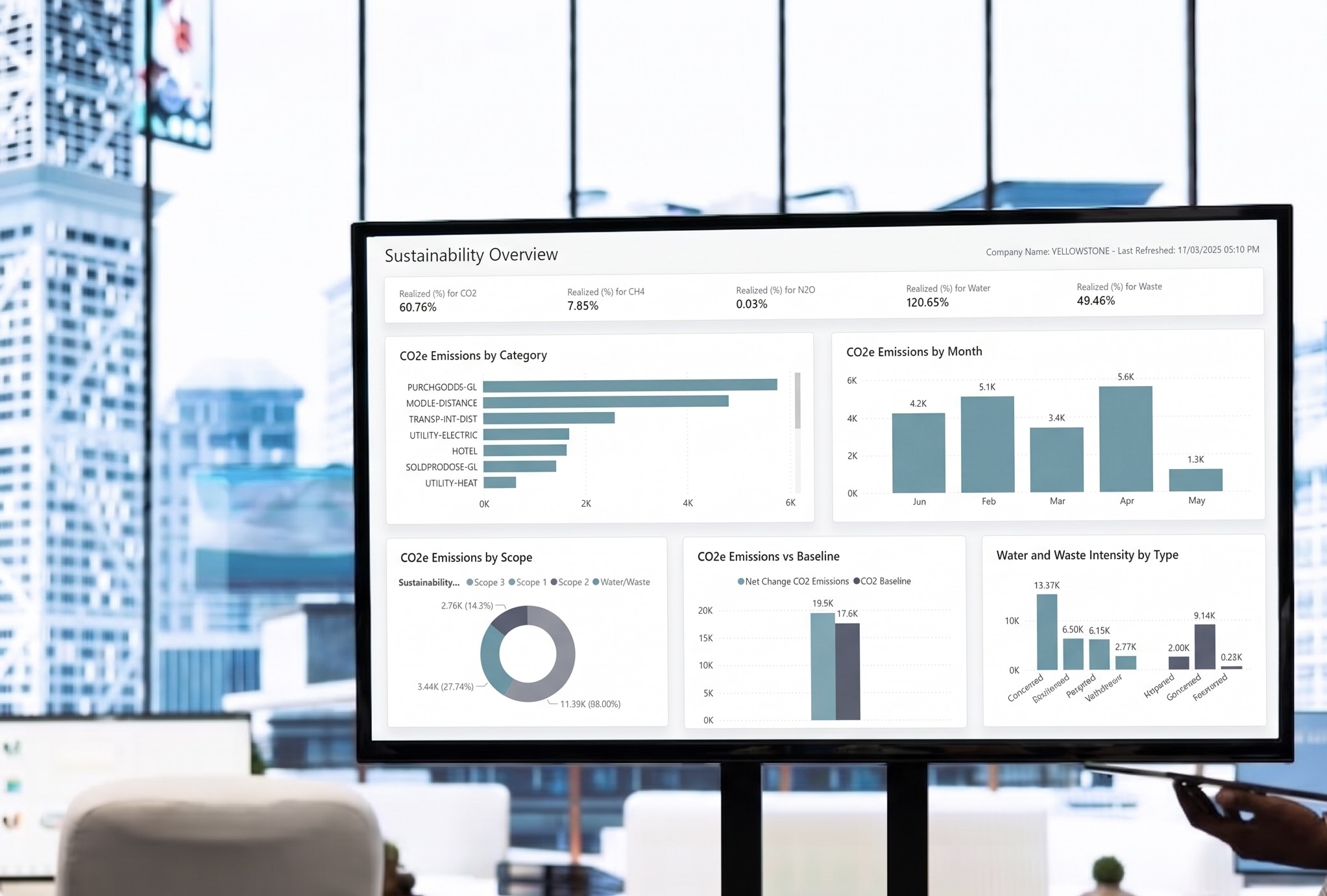
Business Central includes ready-made Power BI apps for sales, inventory and inventory valuation, with reports that break stock down by item and by location. Because channel orders are tagged as they come in, you can compare performance across shops, website and marketplaces without rebuilding the data each time. For deeper analysis, our reporting apps extend this further.
If you're running Business Central already, or planning to move onto it, these are the areas we'd review before November:
None of these are exotic. They're the settings that get rushed in a busy implementation and then cause problems at the worst possible moment.
We've completed over 500 software implementations and have spent decades working with Business Central and its predecessor, Dynamics NAV, including multi-location stock work for distribution businesses with similar challenges. If you're a UK retailer selling across shops, your own website and marketplaces, and you want stock you can trust this Black Friday and Christmas, the time to plan is now.
Speak to our team about a retail-sector Business Central implementation, or a health check on the setup you already have, before peak season begins.




.jpg)

.jpeg)
.png)

.jpg)