United Kingdom
+44 (0) 1628 660600
hello@creative-computing.co.uk
hello@creative-computing.co.uk

Picture a wholesale distributor in Reading with a 31 December year-end. It's the second week of January. The trial balance is nearly there, but the main bank account is £3,200 out, a pallet of stock is sitting in the warehouse with no purchase invoice behind it, and nobody can say for certain whether last year's insurance prepayment was ever released. The auditors arrive in three weeks.
That business is fictional, but most finance teams will recognise at least one of those problems. A financial year-end rarely goes wrong because of one big mistake. It goes wrong because small, fixable gaps from the previous twelve months all land on the same desk at once.
This post sets out a practical year-end close checklist for Microsoft Dynamics 365 Business Central: the bottlenecks that slow most teams down, the Business Central tools that deal with them, and a close timeline you can adapt to your own year-end.
The statutory deadline can feel a long way off. A private limited company has nine months after its financial year-end to file annual accounts with Companies House. Miss it, though, and the penalty is automatic. According to GOV.UK, a private company filing up to a month late pays £150, rising to £1,500 once accounts are more than six months late, and the penalty doubles if accounts are late two years running.
In practice the pressure arrives much sooner. Auditors, lenders and boards want numbers within weeks, and every day spent chasing a missing invoice is a day not spent explaining the results.
December year-ends have an extra consideration this time. The ICAEW notes that the September 2024 edition of FRS 102 applies to accounting periods starting on or after 1 January 2026, so many businesses will be closing their first year under the updated standard. It's worth agreeing with your auditor how the changes affect your figures before the close starts, not halfway through it.
Unreconciled bank accounts. Bank reconciliation is the first thing auditors look at and the easiest thing to let slide in a busy year. If accounts haven't been reconciled monthly, year-end turns into archaeology: unpresented cheques from March, card refunds posted twice, a direct debit nobody coded. Reconcile every bank, savings and card account to the year-end statement before anything else, because cash is the figure every other balance eventually ties back to.
Missing supplier invoices. Goods and services received before year-end belong in this year's costs, whether or not the invoice has arrived. Most teams carry goods received but not invoiced, plus utilities, subscriptions and professional fees billed in arrears. Without a firm cut-off, costs fall into the wrong year and margins look better than they are. Reconciling statements from your larger suppliers flushes out most of the gaps.
Stock valuation errors. For any business holding inventory, stock is often the largest judgement in the accounts. Errors usually come from three places: count variances that never get posted, purchase costs that change after the goods have been sold (late freight charges or a revised supplier price), and cost adjustments that haven't reached the general ledger. Any one of them leaves the balance sheet out of step with the item ledger.
Accruals and prepayments. This is where year-end judgement meets spreadsheet risk. An annual software licence paid in October, rent paid quarterly in advance, a bonus that won't be paid until March: each needs spreading across the right periods. When the schedule lives in a standalone workbook, it's easy to forget to release a prepayment or to accrue the same cost twice.
None of those bottlenecks are unique to Business Central, but the system has a tool for each. The value comes from using them through the year, so year-end becomes a check rather than a rebuild.
Bank reconciliation. The Bank Acc. Reconciliation page matches imported statement lines against bank ledger entries, and the Payment Reconciliation Journal applies customer and supplier payments as you go. In Business Central online, bank account reconciliation with Copilot suggests matches the standard rules miss and proposes G/L accounts for anything left over. Reconcile monthly and December is one more statement, not twelve.
Supplier invoices. Incoming documents let you attach a PDF invoice to a record the moment it arrives, and e-documents can import supplier invoices automatically through a scheduled job. Neither replaces a cut-off review, but both shorten the gap between an invoice reaching an inbox and the cost reaching the ledger.
Stock valuation. The Adjust Cost - Item Entries batch job forwards cost changes to sales already posted, and Post Inventory Cost to G/L carries those values into the general ledger. Microsoft recommends running cost adjustment frequently, outside working hours, rather than saving it for year-end. Run both before comparing the inventory valuation report to the balance sheet and most unexplained differences disappear.
Accruals and prepayments. Deferral templates spread an expense or revenue across accounting periods automatically, straight from the original purchase or sales document. The Purchasing Deferral Summary report then shows what's still to be released, so your prepayment schedule becomes a report rather than a spreadsheet.
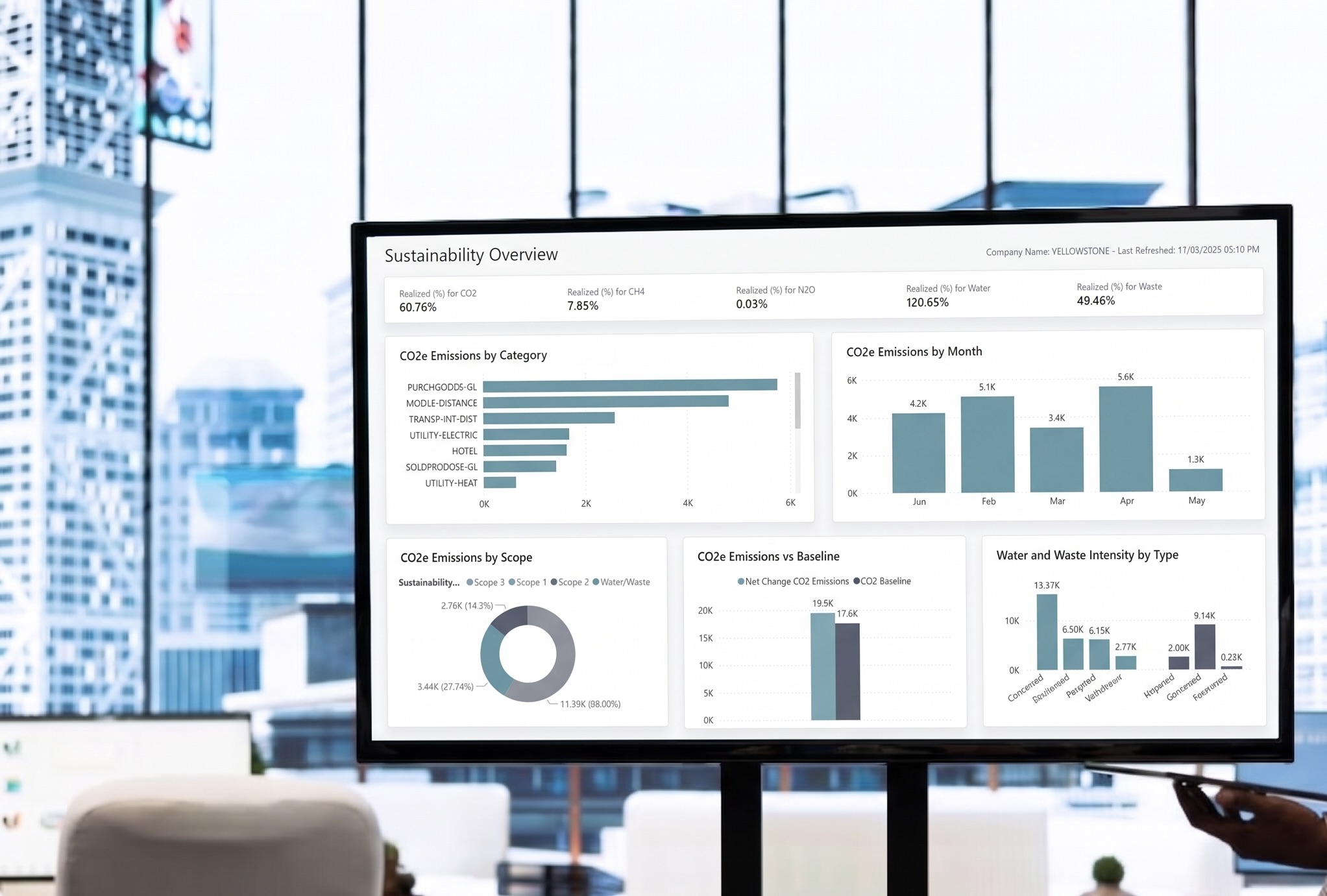
Control and reporting. Posting periods set on the General Ledger Setup page stop entries landing in a month you've already reviewed, with exceptions for named users. The Power BI Finance app gives management ready-made finance reports from the same data, and the UK Making Tax Digital features submit the final VAT return of the year to HMRC without leaving the system.
The timeline below assumes a 31 December year-end and a small finance team. Shift the dates to suit your own year-end and scale the steps to your volumes.
Six to eight weeks before year-end
Two to four weeks before
Year-end and the first week after
Two to three weeks after
Four to six weeks after
That last step is less final than it sounds. Business Central still accepts late audit adjustments in a closed year, flags them as prior-year entries, and lets you run Close Income Statement again. So there's no need to hold the close open for weeks waiting on one stray journal.
A smooth close is mostly the result of decisions made in October and November: how bank feeds are set up, whether deferrals run automatically, who can post to which period. Get those right and January becomes a review rather than a rescue.
We've completed over 500 software implementations and have spent decades working with Business Central and its predecessor, Dynamics NAV. If your year-end still depends on spreadsheets that sit outside the system, or you suspect your setup isn't doing all it could, now is the time to look at it.
Speak to our team about streamlining your year-end process in Business Central, whether that's a health check of your current setup or help configuring reconciliation, deferral and reporting tools before the close begins.